Start from the goal
Begin with what you are trying to learn or build, the depth you need, and the constraints around the work.
Use the AI chat you already have. Myelin helps it track what the learner knows, what they are missing, what clicks, what should happen next, and a lot more that does not belong inside a chat transcript.
Your AI handles the conversation. Myelin keeps the path and review state outside the transcript so the next session has somewhere to pick up.
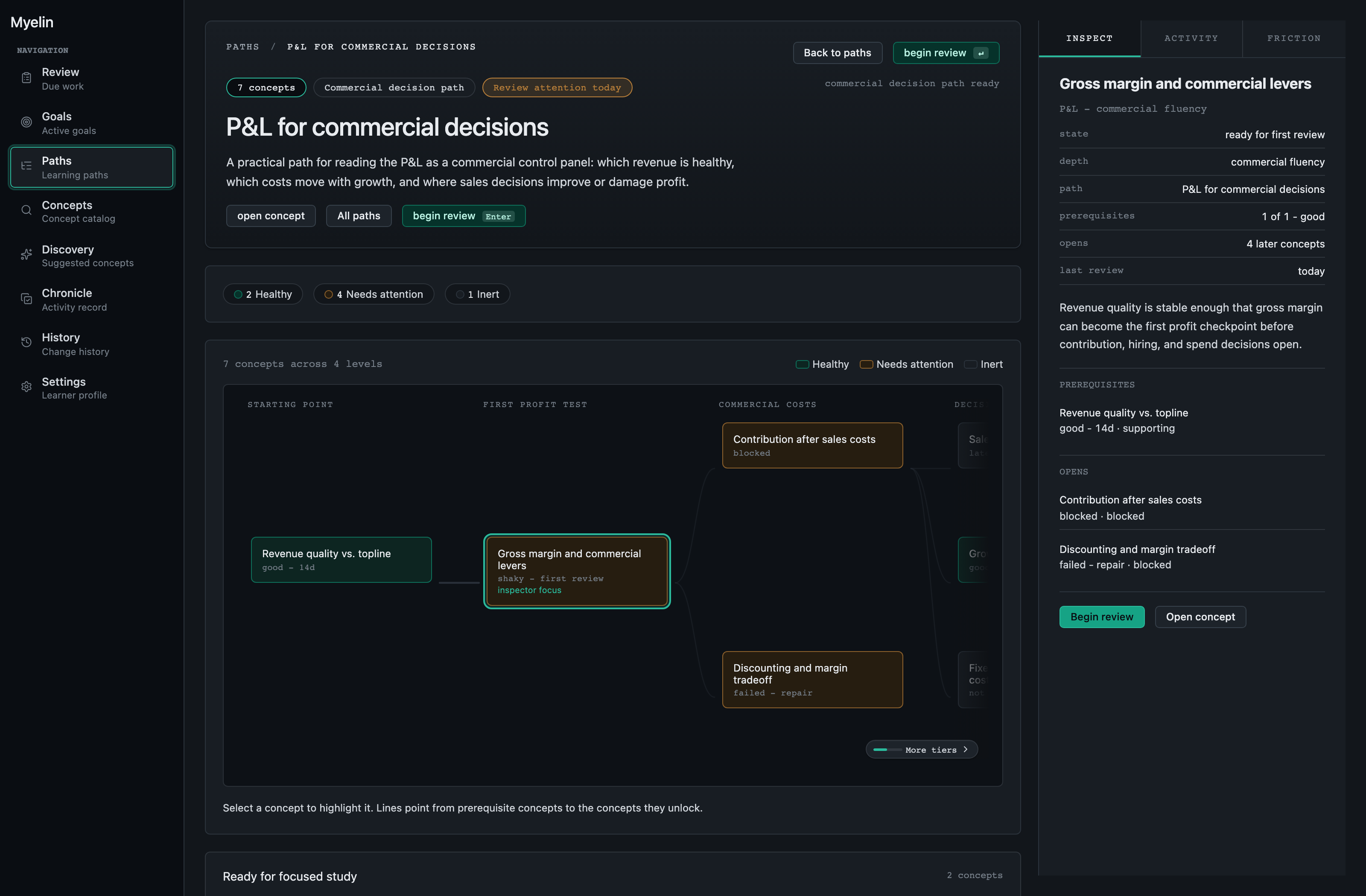
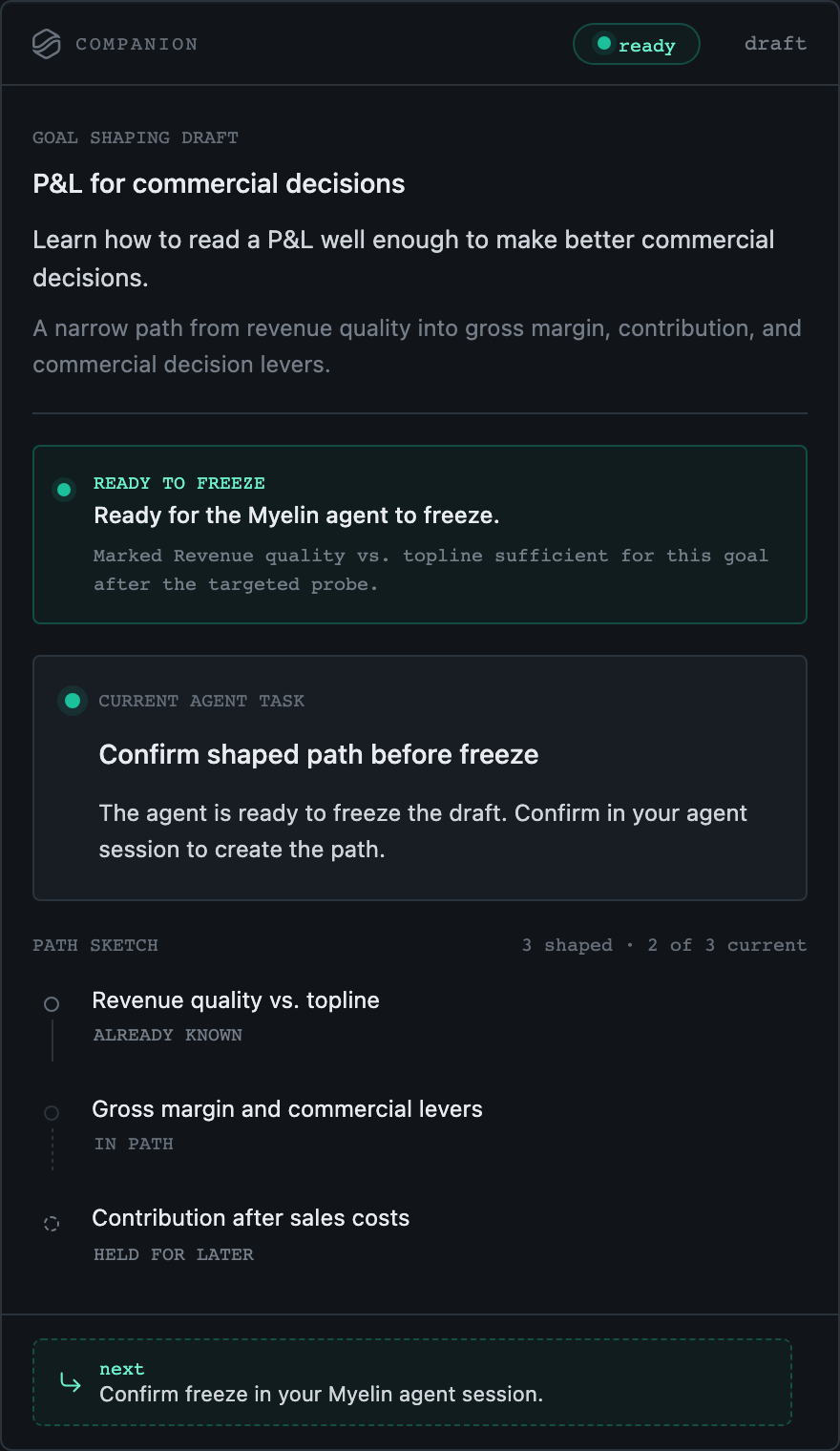
Connected learning system
Use the AI chat you already have for the conversation. Myelin keeps the goal, path, review evidence, corrections, and return point outside the transcript.
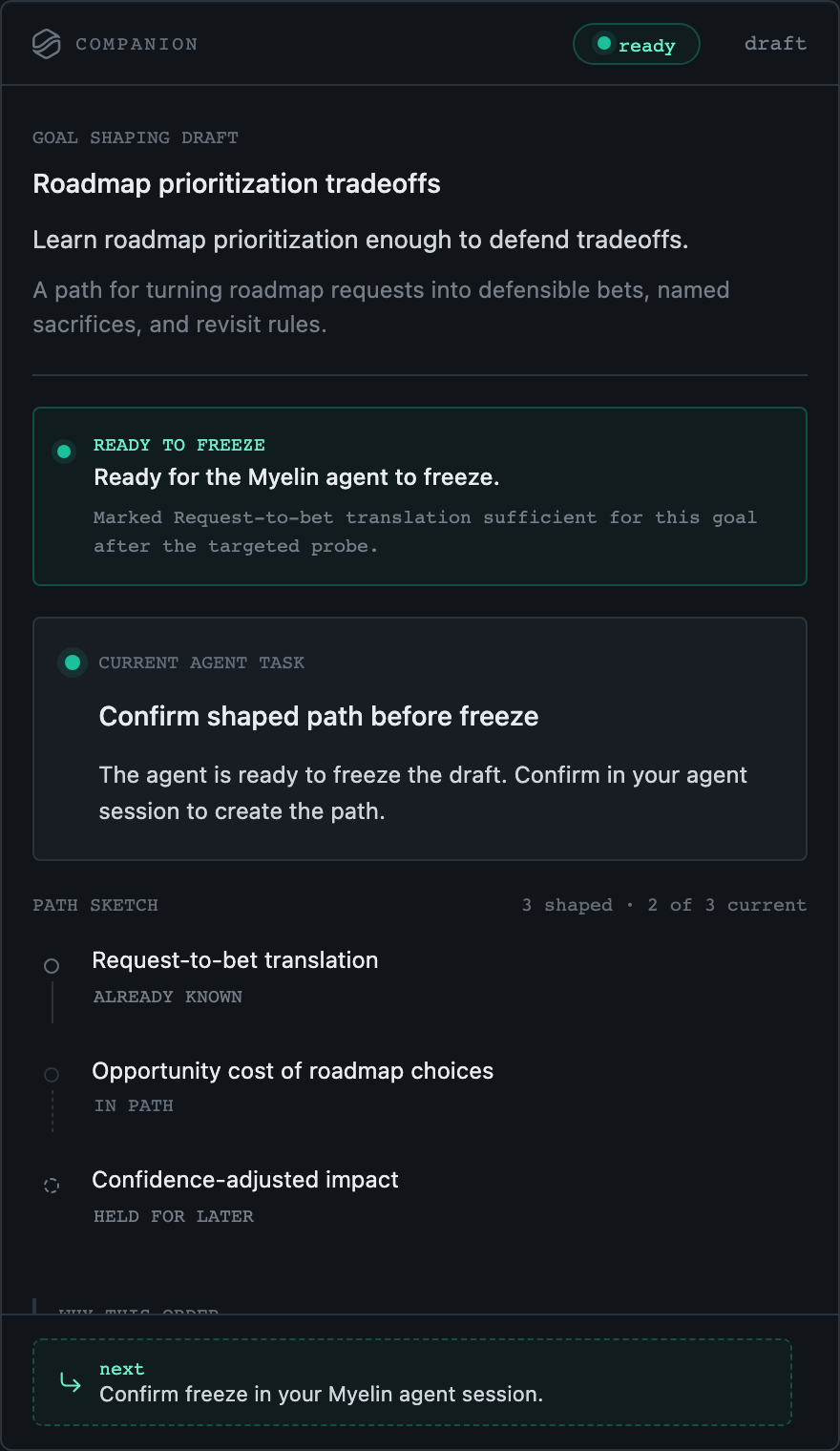
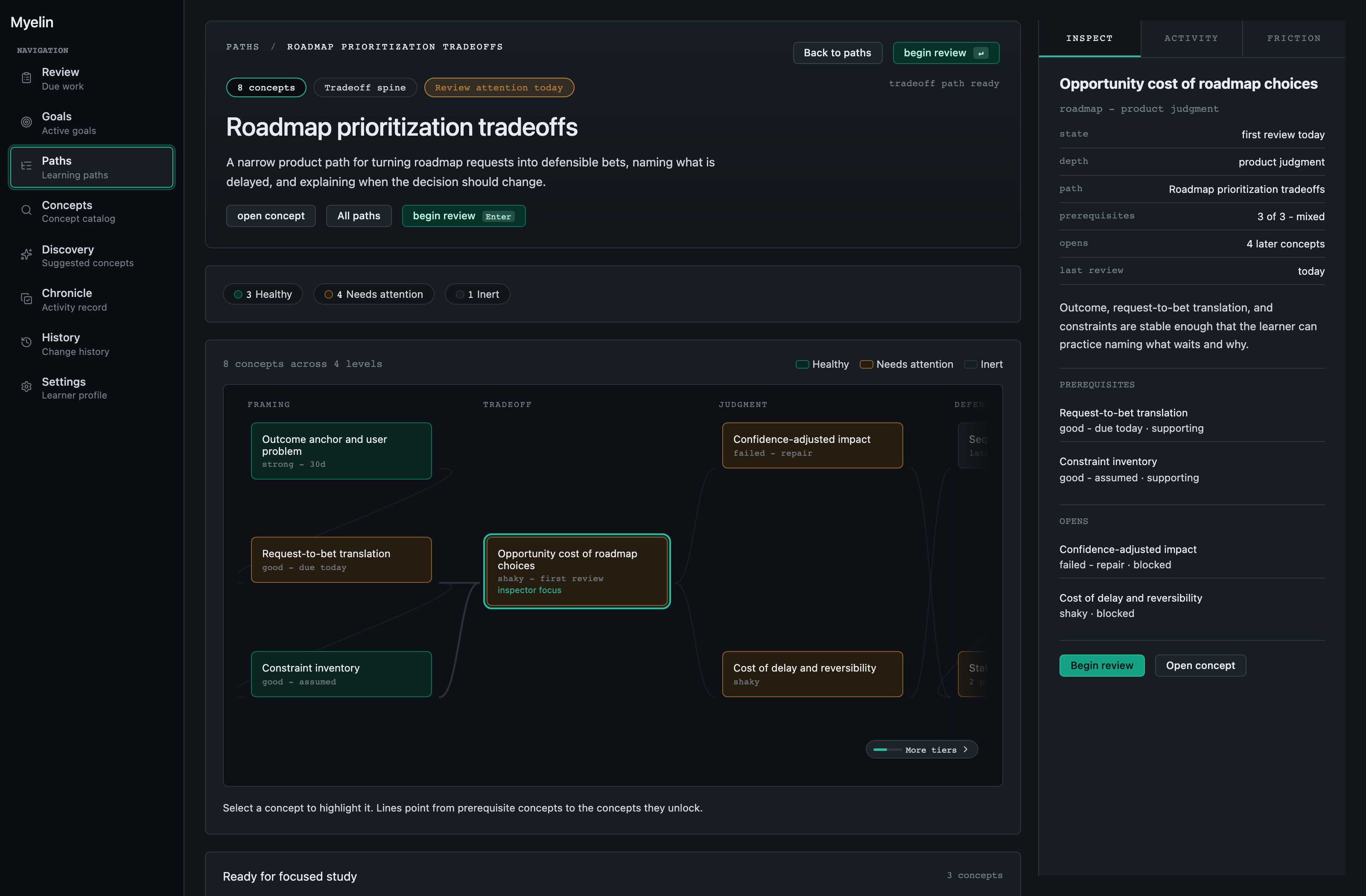
How it works
The useful loop is simple: start from the goal, let the AI operate Myelin around the path, keep assumptions visible, and return with review evidence still attached.
Begin with what you are trying to learn or build, the depth you need, and the constraints around the work.
The path starts as a proposal instead of expanding every possible prerequisite.
Important guesses stay visible so the path can be inspected before it becomes the work.
Review history, due work, confidence, and struggle signals stay tied to the path when you return.
Example paths
The cases above are deliberately different. A commercial leader, product lead, and software engineer should not receive the same lesson plan with different labels.
Product
Defend roadmap tradeoffs by naming the chosen bet, delayed bet, constraint, and revisit signal.
Commercial
Read a P&L well enough to challenge pricing, discounting, hiring, and growth spend.
Software
Make a slow dashboard faster without creating stale-data bugs.
How Myelin works
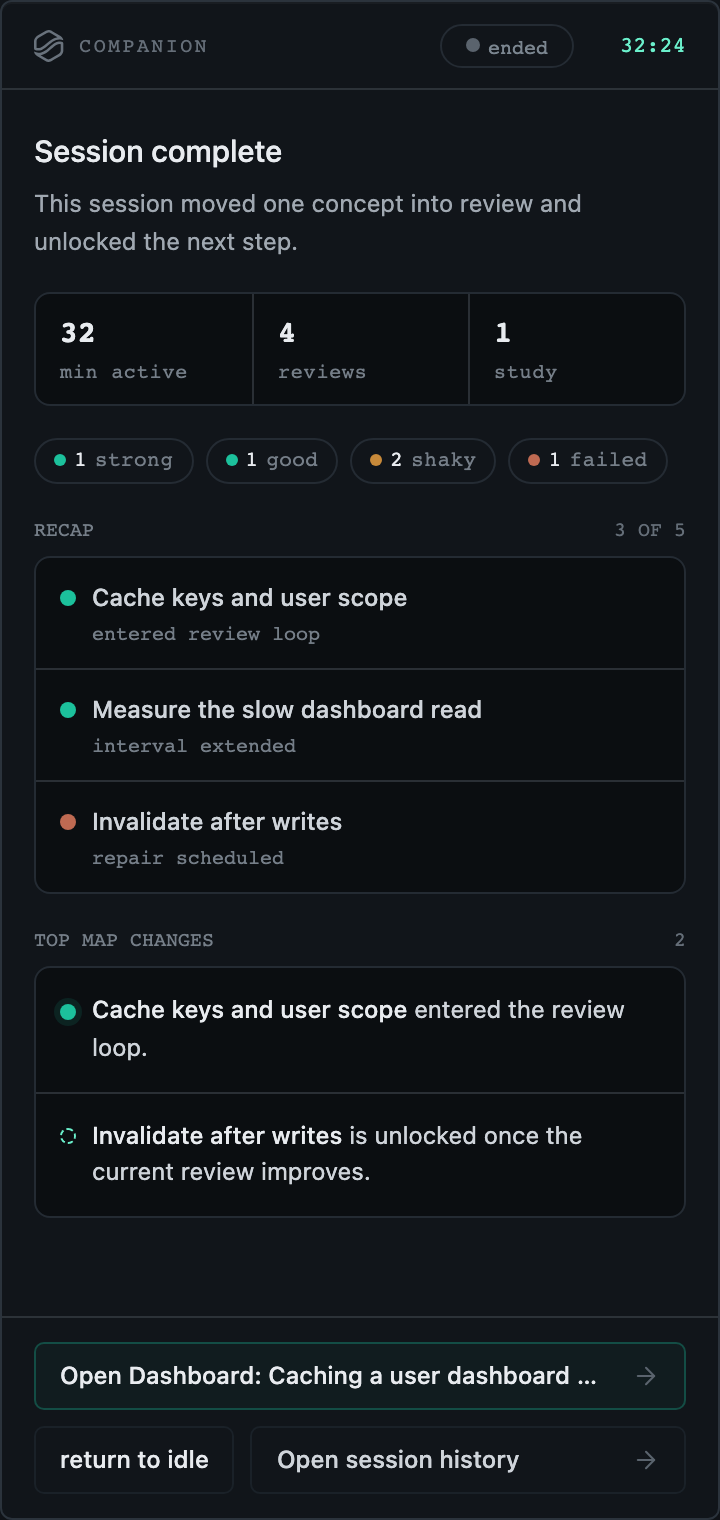
Your AI handles the conversation. Companion reflects the live moment. Dashboard keeps the path, review history, and concept pages visible when you return.
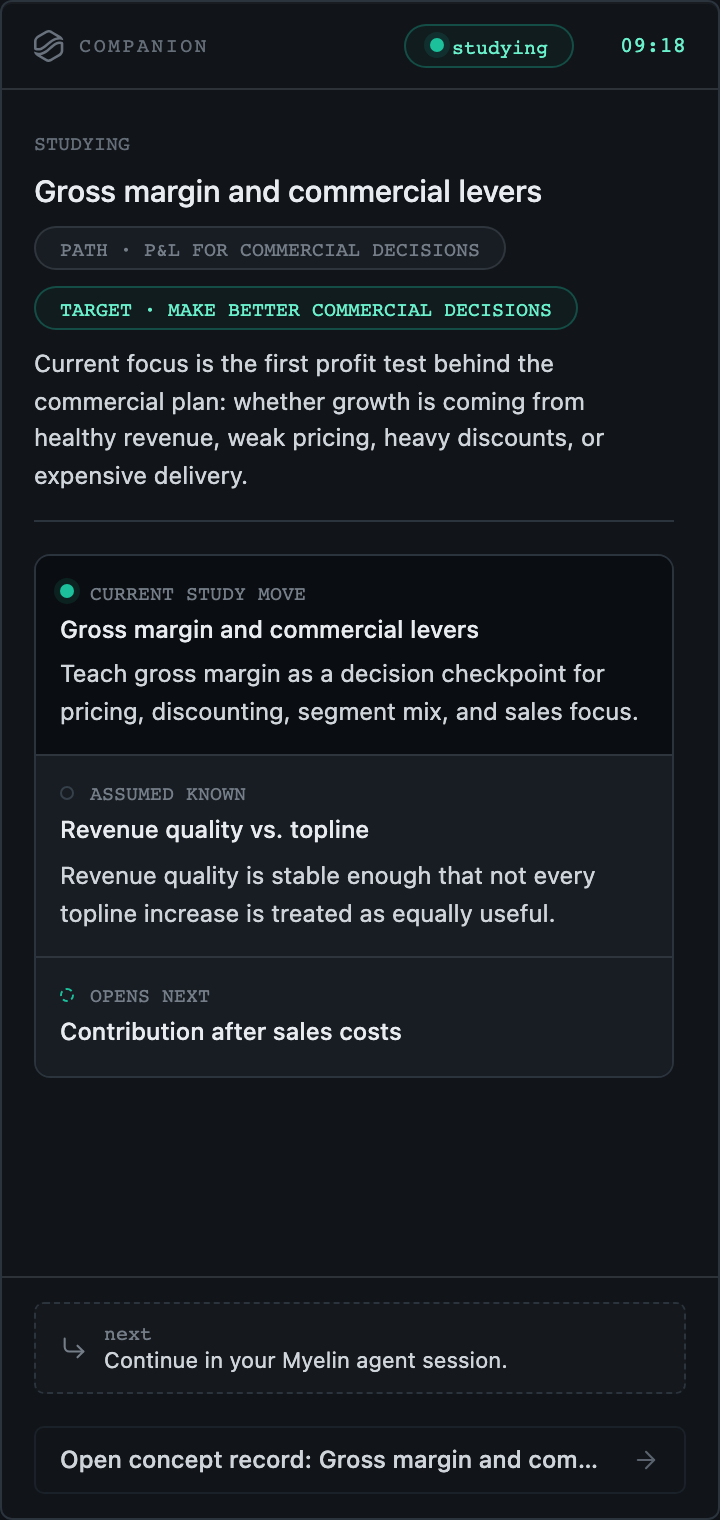
Use Companion beside the live session and for turning a goal into a draft plan.
Companion is the focused sidecar. It keeps the active path visible without pretending the chat is the whole tool.
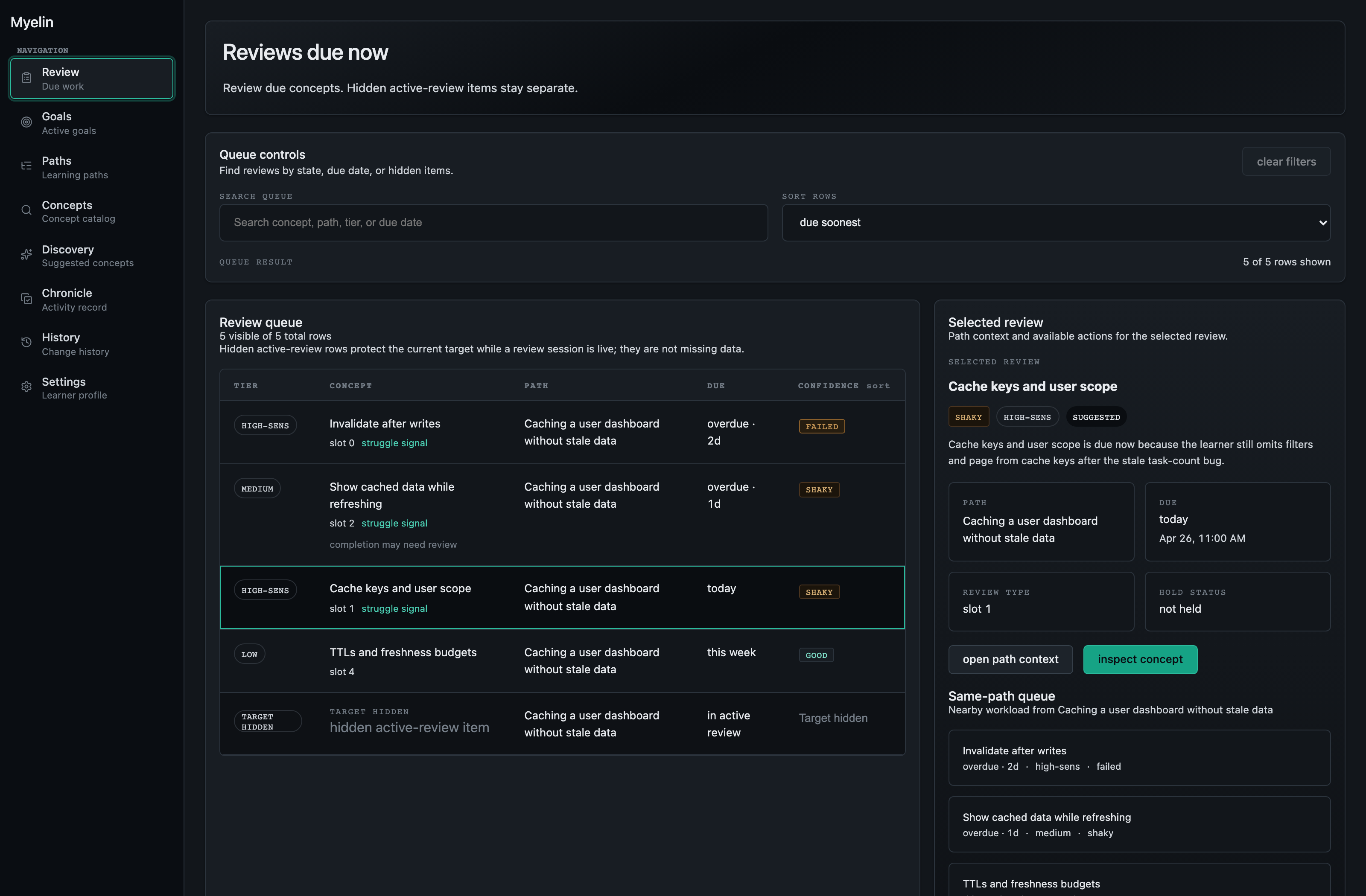
Use Dashboard to see the path, review history, and concept pages over time.
Dashboard is where you come back to inspect what changed, what still needs review, and what comes next.
What makes it different
The live conversation matters, but the learning record lives outside the transcript: path, concepts, review evidence, corrections, and next step.
When you come back, the path and review state are still there.
Myelin is organized around your goal, not around collecting material.
No streaks, XP, or lives. Progress is visible when the work actually holds.
The path, concept pages, corrections, and review history stay outside the chat.
Best fit
Myelin is strongest when the learning is tied to a project, capability, research line, or career move and when you want to see what still needs work.
Best fit is someone moving a project, capability, research line, or career move forward.
This is a strong fit when the learning needs to hold up in practice.
Myelin is for people who want to see what still needs work and come back to it over time.
It works best if you want due work, confidence, and struggle signals to remain visible.
It is a stronger fit for people who want structure and clarity instead of noise.
It is built for work that needs to hold up, not for novelty.
Access
Send a short note about what you are trying to learn or build. Access is limited while Myelin is early.
Submitting opens an email draft before anything is sent. Share only what you are comfortable sending by email.